
Part 2 of 5: Mastering Your Commercial Insurance Program: A 5-Part Guide for Business Leaders
Welcome back! In Part 1, we discussed identifying your key business risks. Now, let’s tackle the critical task of effective commercial insurance document management. Disorganized paperwork isn’t just an administrative headache; it creates significant risks like missed renewals, audit delays, claim confusion, and costly coverage gaps.
Taking control means learning how to organize insurance documents efficiently. Implementing robust practices, often involving digital insurance record keeping, is fundamental to gaining clarity and control over your entire program. This article will guide you through establishing that essential system, including using an insurance documentation checklist to ensure you have everything you need.
Essential Insurance Documentation Checklist
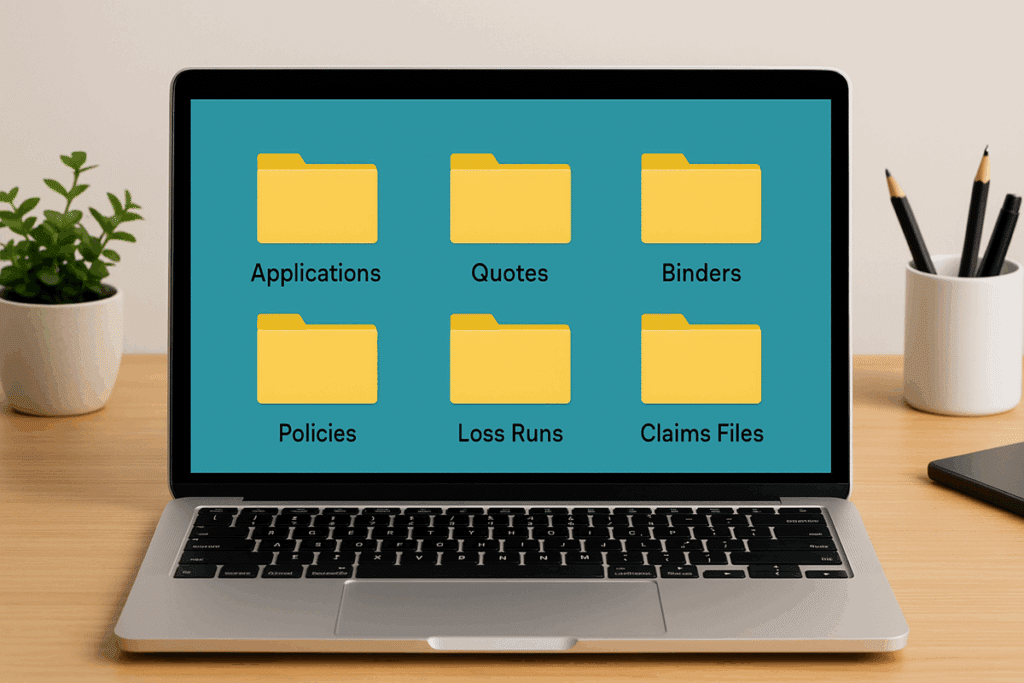
A well-structured system, ideally digital for easy access and backup, should contain these key documents:
- Applications: Keep complete copies of all insurance applications submitted, including supplementary materials like financial statements or operational details. These document the information you provided to underwriters.
- Quotes & Binders: Store all quotes received from various carriers to compare terms and pricing. Binders are critical – they serve as temporary proof of coverage before the final policy is issued. Don’t discard them until the policy is in hand and verified.
- Policies: This is crucial – store not just the Declarations Page (the summary), but the entire policy document, including all forms and endorsements. The fine print matters!
- Loss Runs & Claims Files: Maintain historical claims data, organized by policy year, type of claim (e.g., Workers’ Comp, Auto Liability), and the specific carrier involved. Loss runs are essential for renewal negotiations and risk analysis.
“Digital files offer the advantage of real-time access to information from anywhere. As your business grows, expanding digital storage is relatively easy. But technical issues such as hardware failures can render your files inaccessible, and digital files introduce new cybersecurity risks.”
– U.S. Chamber of Commerce, “How Long Should Your Small Business Keep Documents?”
Best Practices for Digital Record-Keeping
- Use a clear, consistent folder structure (e.g., by policy type, then policy year).
- Implement a standard file naming convention (e.g., PolicyType_Carrier_PolicyPeriod_DocumentType.pdf).
- Utilize cloud storage with appropriate security and backup protocols for accessibility and disaster recovery.
- Ensure relevant team members (Finance, Legal, Ops, HR) know where and how to access necessary documents.
How long should you keep each file? For recommended timeframes—one year, three years, seven years, or forever—see the Insurance Documentation Retention Guidelines (U.S. Chamber of Commerce). The plain-English chart helps small businesses avoid over- or under-retaining critical insurance records.
Leveraging Technology for Efficiency
Beyond simple file storage, consider tools that streamline insurance management:
- Certificate of Insurance (COI) Tracking Software: Automates the process of collecting and verifying insurance certificates from vendors (more on vendor risk in Part 4 of this series!).
- Dedicated Insurance Management Platforms: Some platforms help manage policies, renewals, claims data, and compliance documentation in one place. Your broker may offer access to such tools.
- Example: Imagine an audit requires proof of coverage for a specific period three years ago. With a digital system, you (or your broker) can locate the policy or binder in minutes. Without it, you might spend hours searching through old emails or physical files, potentially delaying the audit or failing to produce the needed document quickly.
Is your insurance documentation scattered across emails, desks, and forgotten folders? Take the first step towards clarity. PlausTech offers a free downloadable insurance documentation checklist to help you gather and organize your essential insurance documents.
Mastering commercial insurance document management by learning how to organize insurance documents, potentially using digital insurance record keeping and our insurance documentation checklist, provides crucial clarity. But simply having organized files is only the first step; truly understanding the intricate details within those policies is paramount for effective risk management.
That’s where PlausTech can help. As a broker leveraging cutting-edge technology and data analysis, we developed CoverageXpert, our proprietary database fueling the CoverageLocator software. Once you’ve tackled organization, take the logical next step: let us provide a free policy review using CoverageLocator. We’ll clearly identify exactly what your policy covers—and pinpoint potential gaps—ensuring your protection is truly optimized.
Next time in Part 3: We’ll explore the critical process of selecting the right insurance broker and carriers – partners who can make or break your program’s success.